DLS kits and logos: importing a custom kit and crest
In Dream League Soccer you change kits and crests from the Customise screen. FTG’s help centre says you can edit home and away kit colours, kit type and trim, choose a crest template, or import your own crest and kit from a URL. Crests can be up to 512×512 and kits use FTG’s PNG template. Opponents in Dream League Live do not see imported kits or crests. These steps describe the current DLS 26 app; FTG has not said whether DLS 27 changes them.
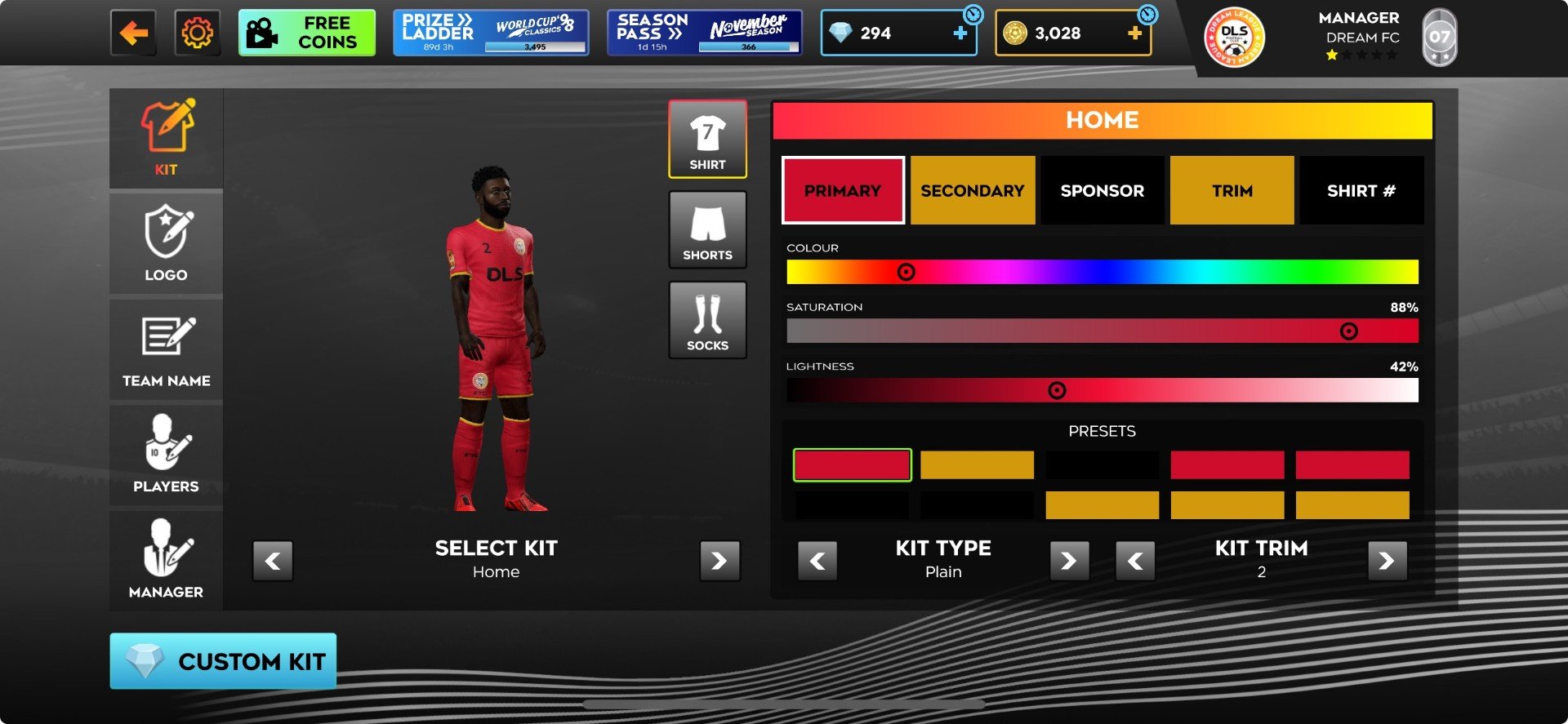
Where the options are
According to FTG’s kit article (How do I customise my kit/logo?), the Customise screen has tabs for Kit, Logo, Team Name, Players and Manager:
- Kit: home and away kits, colours via sliders, kit types and trim.
- Logo: pre-designed crest templates you cycle with arrows. The template shows your current team name, which updates automatically if you rename the team.
- Players: boot colours and shirt numbers.
- Manager: name, appearance and outfit.
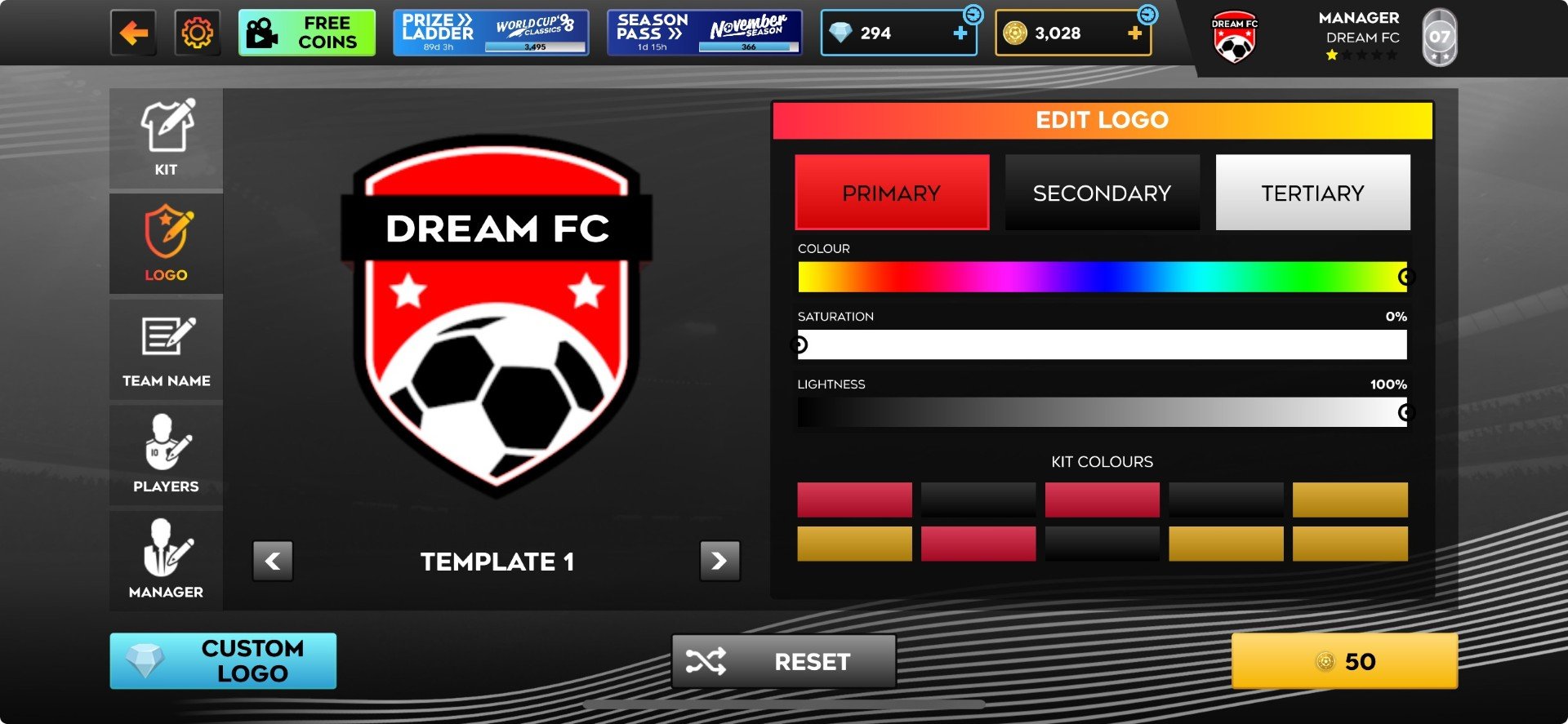
Importing a crest
- Open Customise → Logo and tap Custom Logo. FTG notes that this section has to be unlocked first; the screenshot shows a coin price on the confirm button.
- Paste the URL of your image. FTG gives a maximum size of 512×512.
- Press confirm in the bottom-right corner. The crest then appears on your kits.
Importing a kit
Kits work the same way, but the PNG must follow FTG’s layout so each area lands on the right part of the kit. FTG adds shading and creases when the game renders the kit, so they should not be painted into the file. Host the PNG somewhere that gives a direct link, paste the URL into the kit importer and confirm.
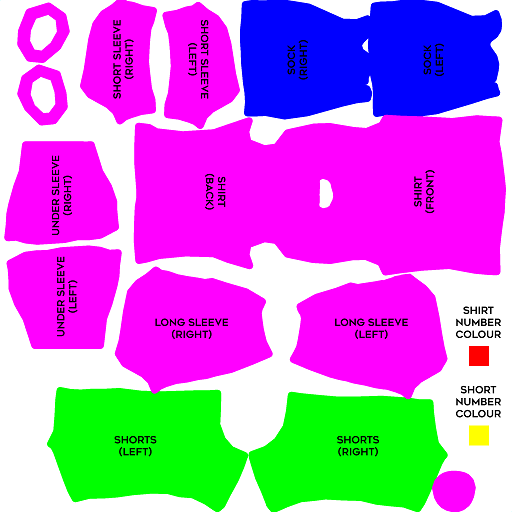
To remove imports, FTG says the kit importer has a Reset button for crests, and a Delete button appears on the Edit Kit screen once kits have been imported.
Do opponents see my custom kit?
No. FTG states that custom (imported) kits and logos are not sent across multiplayer matches, so in Dream League Live your opponent will not see yours and you will not see theirs (FTG FAQ). Before a match you can switch between home and away kits by tapping the player models on the pre-match screen.
Kits for DLS 27
FTG has not published a DLS 27 kit template or new kit rules. If the editor changes, re-check the official article before re-importing. Fan sites sharing “DLS 27 kit URLs” are not FTG sources, and team names, crests and kits from real clubs may be subject to the owners’ rights.